AI Image Creator — Text to Image with Prompt Variations
Text to image with several AI models — private by default, on every plan.
Already a member? Sign in.
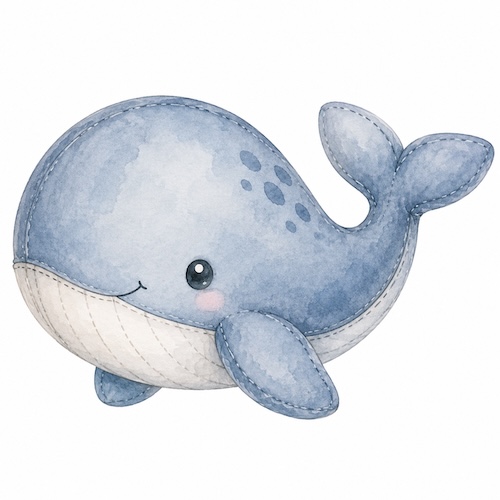
Cute watercolor hand draw image of a cute Blue Gray Blue Whale, gentle waves and soft morning light, storybook mood, high detail fins
Pick the engine that fits your scene — all are available in the tool.
- GPT Image 2
Premium creative image generation
- Ideogram v4
Design-forward images with sharp text rendering
- Nano Banana 2
Fast everyday image generation
- Nano Banana Pro
Higher-detail image generation
- Seedream 4.5
Stylized high-detail image generation
Private by default
Your prompts, reference images, and generated results stay in your Mockably workspace. They are not published to a public gallery or made visible to other members unless you choose to share them.
Text-to-image with brace lists that expand into batches. Prompts and results stay in your workspace — not in a public gallery.
Built for speed, made for quality
Private by default
Your prompts, reference images, and generated images stay in your Mockably account. Nothing is published to a public gallery or shared with other members unless you choose to share it.
Permutation prompts
Choose Permutations mode, then write watercolor {fox, dog, cat} on white background — each option becomes its own full prompt (limits depend on your plan; see Pricing).
Aspect ratio control
Choose common ratios like 1:1, 16:9, 9:16, 3:4, and 4:3 before you generate.
Batch safely
Set images per prompt and see total credits up front; hard caps keep runs predictable.
How it works
- 1
Write your prompt
Pick single prompt or Permutations. In Permutations mode, add {a, b, c} for a separate run per option (paid plans only; max expanded prompts depend on your plan).
- 2
Tune options
Pick aspect ratio, image model, and how many images to request per expanded prompt (2K output).
- 3
Generate & review
Submit and watch jobs appear in the results panel like catalog mockups — download when complete.
Who it's for
Listing concepts
Explore multiple subjects or colorways from one master prompt without retyping.
Social & ads
Generate square or story-sized assets in one batch.
Design exploration
Compare compositions quickly before committing to a full mockup workflow.
Frequently asked questions
AI Catalog Mockups
Apply your design to a curated catalog of printables and print-on-demand products and let AI generate photorealistic, on-brand mockups for your listings.
ExploreBlank Mockups
Generate blank, design-free product mockups in AI-styled scenes. Upload an optional inspiration image to guide the mood, but the product itself stays clean and ready for buyers to customise.
ExploreMockup Merge
Apply any design to an existing mockup template photo using AI. Perfect if you already own mockup bundles and need to drop designs onto them quickly.
ExploreAI Image Upscaler
Upload any PNG/JPG — each upscale pass grows the long edge roughly 4×, capped near 4000px. Uploads up to ~16 MP with the long edge under ~4096px; typical output long edge stays under ~4000px. Great for listings, printables, and POD.
ExploreReady to try AI Creator?
Create your free Mockably account and start using AI Creator plus every other tool — no credit card required.