AI Creator — Generate Images & Clipart with AI
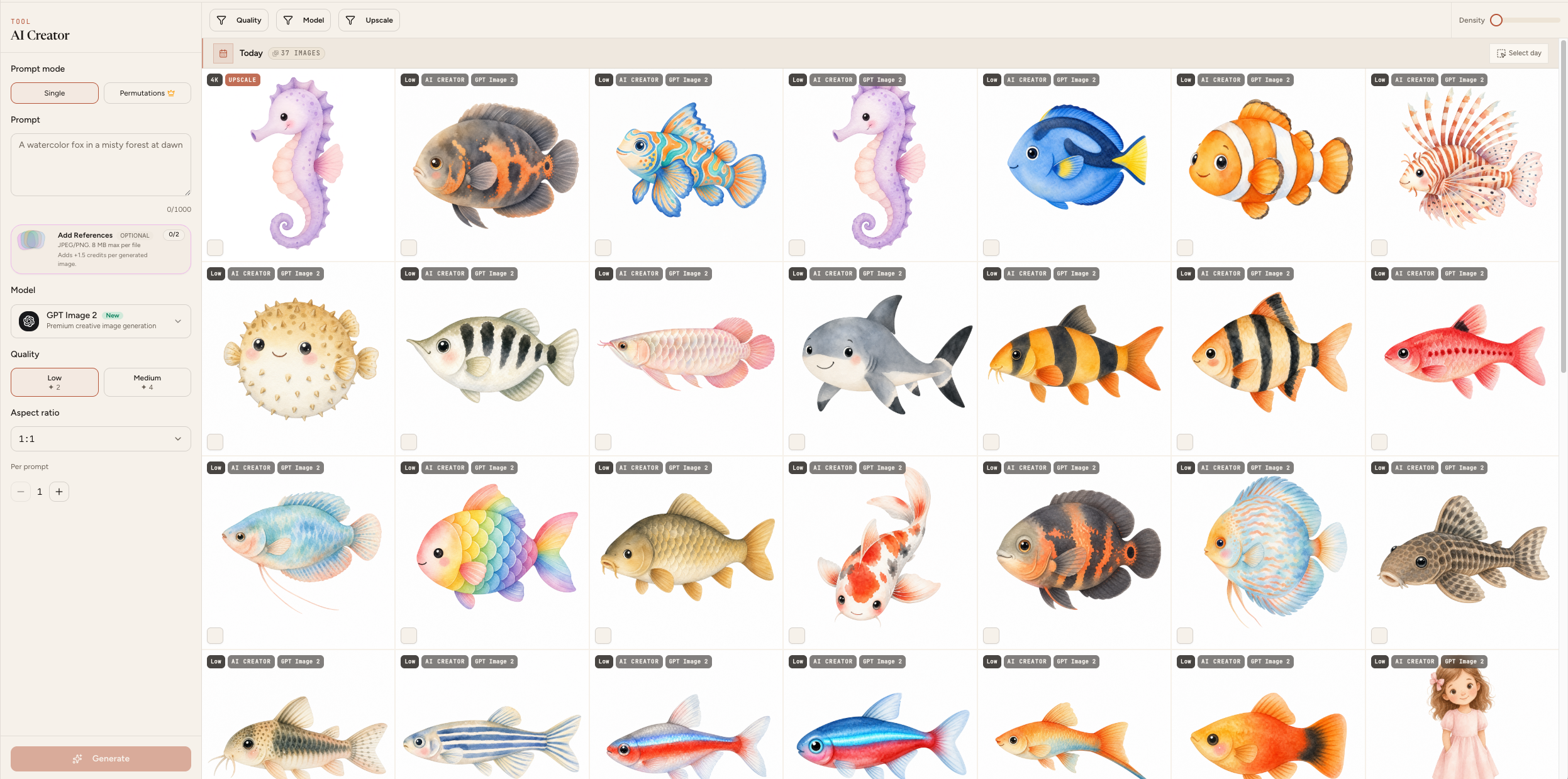
The AI Creator lets you generate any AI images directly inside Mockably… including clipart for your Etsy shop or any other creative project 🌸
How it works
Select your prompt mode… Single for one image at a time or Permutation to batch create multiple images at once 💕
In Single mode just type your prompt, add a reference image if you want, choose your model, quality and aspect ratio and click Generate 🔑
In Permutation mode open the permutations field and add all your variations separated by a comma… for example cow, fox, cat, dog. Mockably will automatically create a separate prompt for each one and generate them all at once 🌸
The number of permutations available depends on your membership plan 👇
Starter — 4 per permutation Pro — 20 per permutation Studio — 30 per permutation
Your gallery
All your generated images are saved in your gallery organised by date 😊 You can filter by model, quality and upscale status. Images are private and only visible to you 💕
Storage time depends on your plan… Free 15 days, Starter 20 days, Pro 25 days, Studio 30 days
Downloading your images
Select images individually or in bulk and download, upscale or delete them in one click 🔑
Important notes
All images created have full commercial use so you can sell everything you create 🌸 Credits used will be shown before you generate so you always know what you are spending 😊