Using Custom Product Images - New Update
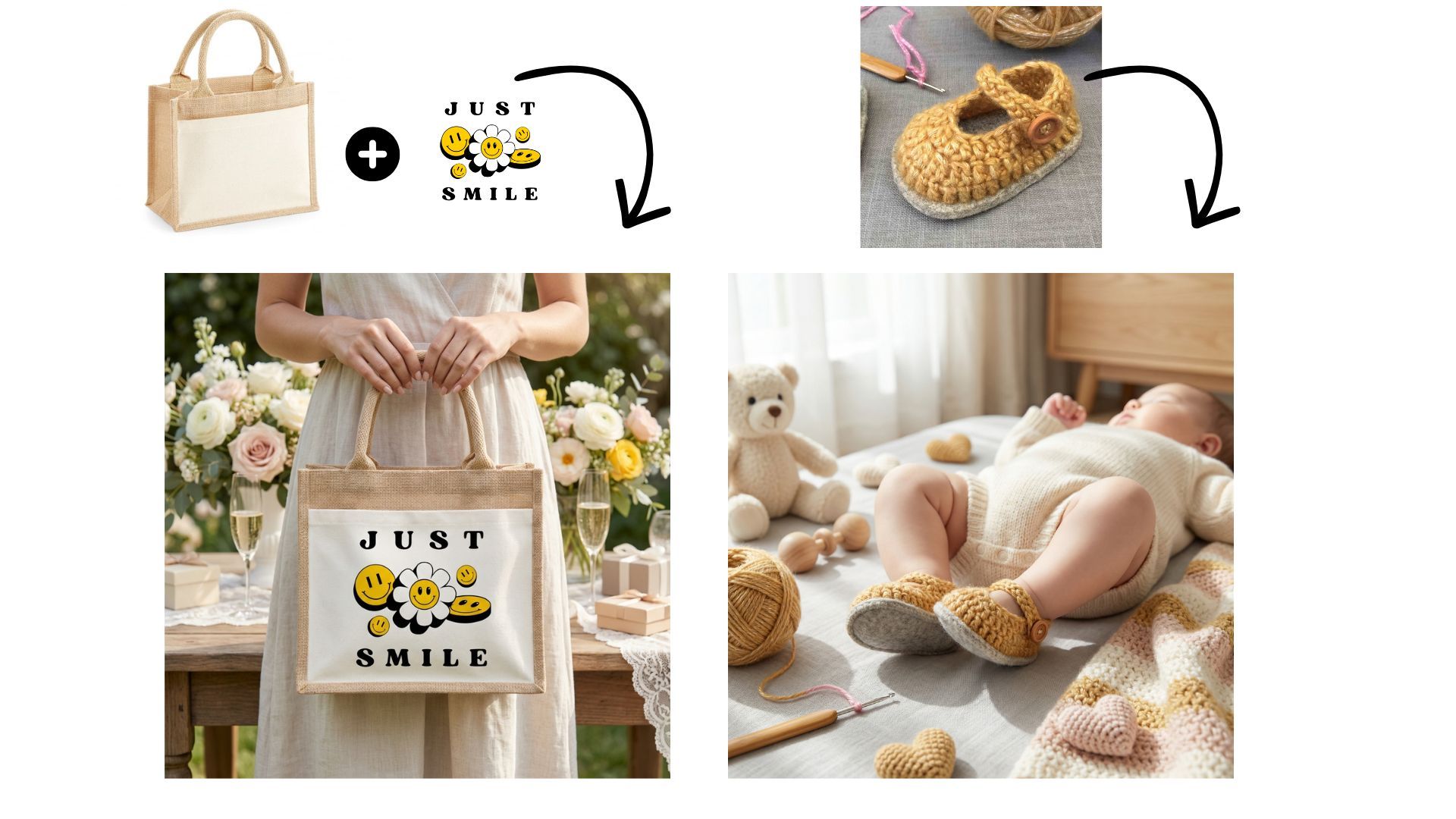
In this tutorial, I show you how to use Custom Product Images instead of the default catalog products.
By default, Mockably uses catalog products when you click Create. Now, you also have the option to upload your own product image as a base.
This is useful if you:
• Use print on demand platforms like Printful
• Have blank product images on a white background
• Sell physical products you make yourself
You simply upload the blank product image first, then upload your design and continue with the usual steps. You can still choose themes, environments, and add additional scene notes.
This option also works for handmade or physical products. You can upload a photo of your product, leave the design empty if needed, and generate mockups showing the product in use.
This gives you more flexibility when your product isn’t available in the standard catalog.
For the example of the baby my input on the additional notes was:
‘‘I want a baby dressing both shoes full body baby in the picture lay down with focus on the shoes’’.