AI Invite Designer — Weddings, Showers, Birthdays & More
Upload clipart, choose a product, and get printable stationery designs.
Already a member? Sign in.
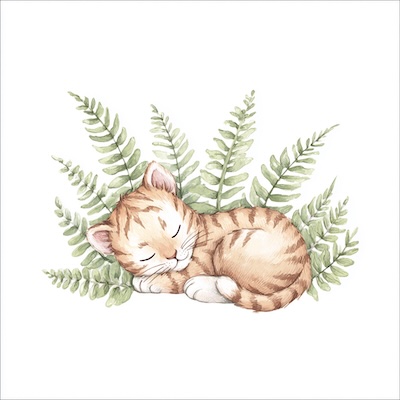
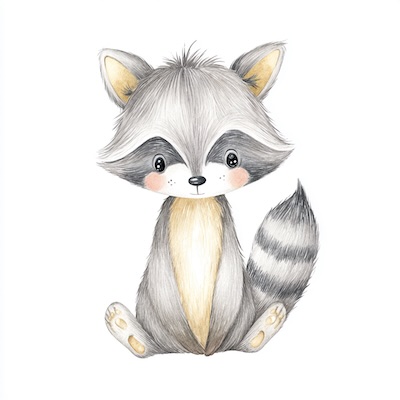

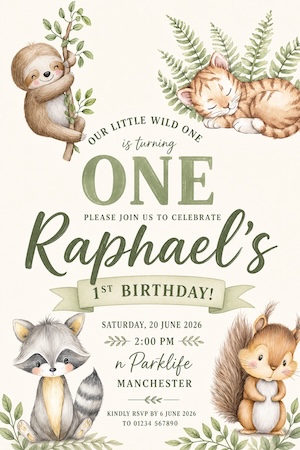
Upload clipart, pick a theme, then browse finished invites in your gallery. Open any result to refine wording, upscale, or send to Catalog.
Sample theme: Wedding
Stationery-focused invite and card generator: upload up to 6 clipart files, pick from 7 product presets, and receive flat printable artwork.
Built for speed, made for quality
Clipart-first design
Upload up to 6 clipart elements (10 MB max per image). The AI composes them into a flat invitation template without redrawing your assets.
Curated product presets
Wedding, Baby Shower, Bridal Shower, Birthday Kids, Adult Birthday, Baptism, Greeting Card — each preset carries typography and layout guidance tuned to the occasion.
Refine with words
Open any result, describe what to change, and regenerate from the finished artwork.
How it works
- 1
Upload clipart
Add florals, bows, frames, and accents — up to 6 images, 10 MB per file.
- 2
Pick a product
Choose from 7 presets: Wedding, Baby Shower, Bridal Shower, Birthday Kids, Adult Birthday, Baptism, Greeting Card. Greeting Card also lets you enter a custom card theme like Father's Day.
- 3
Generate & refine
Review results in your gallery. Open a preview to edit wording or layout with a short instruction.
- 4
Mockup in Catalog
Click Do a mockup to place your invite on a 5×7 invitation product in a styled scene.
Who it's for
Etsy stationery shops
Turn buyer clipart into cohesive invitation layouts without manual Photoshop work.
Event planners
Explore wedding and shower directions quickly before finalizing copy.
POD designers
Pair flat invite art with Mockably catalog mockups for listing photos.
Frequently asked questions
AI Catalog Mockups
Apply your design to a curated catalog of printables and print-on-demand products and let AI generate photorealistic, on-brand mockups for your listings.
ExploreAI Creator
Text-to-image with brace lists that expand into batches. Prompts and results stay in your workspace — not in a public gallery.
ExploreMockup Merge
Apply any design to an existing mockup template photo using AI. Perfect if you already own mockup bundles and need to drop designs onto them quickly.
ExploreAI Image Upscaler
Upload any PNG/JPG — each upscale pass grows the long edge roughly 4×, capped near 4000px. Uploads up to ~16 MP with the long edge under ~4096px; typical output long edge stays under ~4000px. Great for listings, printables, and POD.
ExploreReady to try Invite Designer?
Create your free Mockably account and start using Invite Designer plus every other tool — no credit card required.